RF Sniffer

Know what the RF was doing at 8:42.

RF Sniffer is a small, always-on spectrum recorder for wireless mic and IEM coordination. It sweeps the UHF band around the clock and keeps every capture, so you can look back at any moment of the show.

A Raspberry Pi, a software-defined receiver and a browser. No laptop, no cart, no one walking the building with a scanner.

SNIFFING · OPTIMIZED FOR AV RF COORDINATION — MAX-HOLD 10 MIN CAPTURING CONTINUOUSLY
470–608MHz, optimized for AV RF coordination
Reportscustom combined captures from any time range and any sniffers
24/7operation: captures continuously and keeps the history
1 cablepower and network over PoE
01 · Why

A witness that never leaves the room

Most venues check their RF by rolling a receiver around the building a few times a week. That tells you what the band looked like on Tuesday afternoon. It says nothing about what happened during the keynote.

RF Sniffer stays put. Mount one in each hall, power it over PoE on the AV network, and it records from the moment it boots. When a mic drops, you open a browser, pick the time, and see the band as it was. Max-hold keeps short bursts at full strength, and the jammer alert flags a sudden rise in the noise floor as it happens.

It also travels. Power one up as soon as you load in and it starts building history, even before there's a network to plug into. Weeks in a road case don't bother it.

02 · Use cases

One sniffer or a whole venue

Single node

One room, one show, or the road

  • Drop one in a ballroom, theatre or tour rack and it starts recording the moment it powers up.
  • Open it from any laptop or phone on the network. Nothing to install.
  • Before soundcheck, pull the last few hours as a combined capture and coordinate against the real room, not a guess.
  • No DHCP, no internet? It falls back to its own address and keeps sniffing. Plug it into the production network whenever you get there.
  • After the show, the whole day is on file: load-in, rehearsal, doors, and the moment something went wrong.
Multi node

Every hall in a large venue

  • One sniffer per room on the AV network, powered over PoE. They find each other on their own.
  • Open any one of them and you see all of them. One page shows the whole building.
  • Capture on several rooms at once and download a set of scan files in one go, one per room.
  • Compare halls side by side: is the noise everywhere, or only in Hall C?
  • Replaces walking the building with a receiver on a cart. The history is already there for every room, every day.
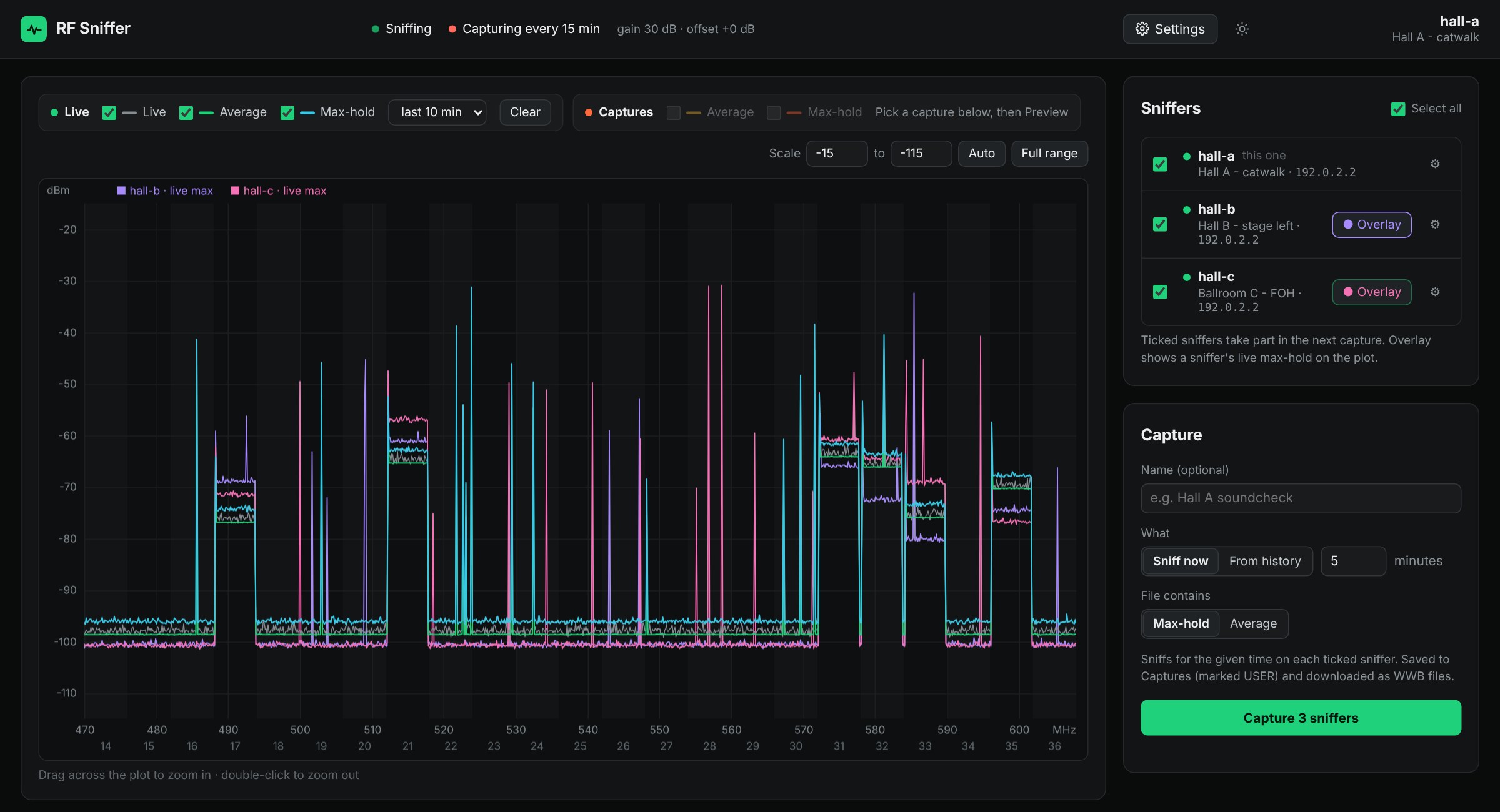
Three sniffers on one page: Hall A, Hall B and Ballroom C listed with their locations, with Hall B and Ballroom C overlaid on Hall A's live plot
Three rooms, one page. Hall B and Ballroom C overlaid on Hall A's live view, all three ticked for the next capture. Simulated sniffers.

Continuous history is the point

A scan tells you what the band looked like when you took it. Interference doesn't wait for you. RF Sniffer captures the full band continuously, all day, every day, and keeps as much history as you set. When someone asks what happened at 8:42 on Saturday, the answer already exists.

A combined capture in two clicks

Because it never stops, building a coordination file is a selection, not a scanning session. Pick a time range, say the last 24 hours or the whole week, then choose Average, Max-hold or Composite. Composite keeps real carriers and drops the creeping noise floor a long max-hold collects.
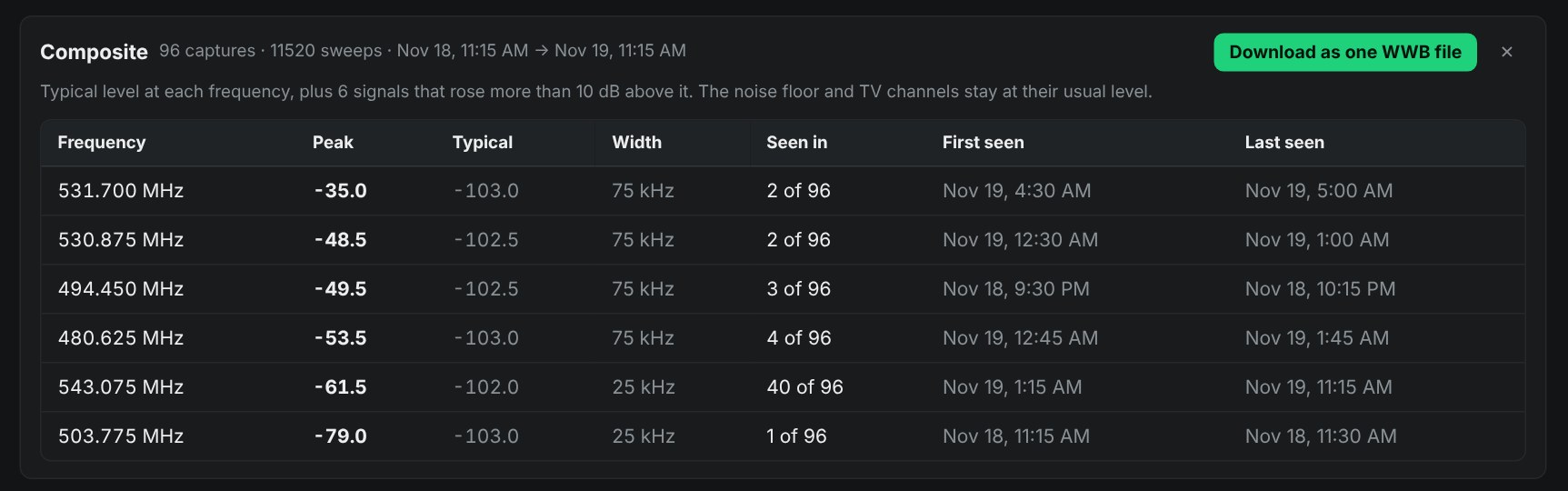
Composite of 96 captures from the last 24 hours, listing six signals above the typical level with peak, width, how many captures they appeared in, and first and last seen times
A day of one room, summed up. A composite of the last 24 hours lists every signal that rose above the usual floor, how often it showed up, and when. Simulated sniffer.
03 · Interface

Everything in one browser tab

Open any sniffer on the network in a browser. No app to install, and it works from a phone backstage.

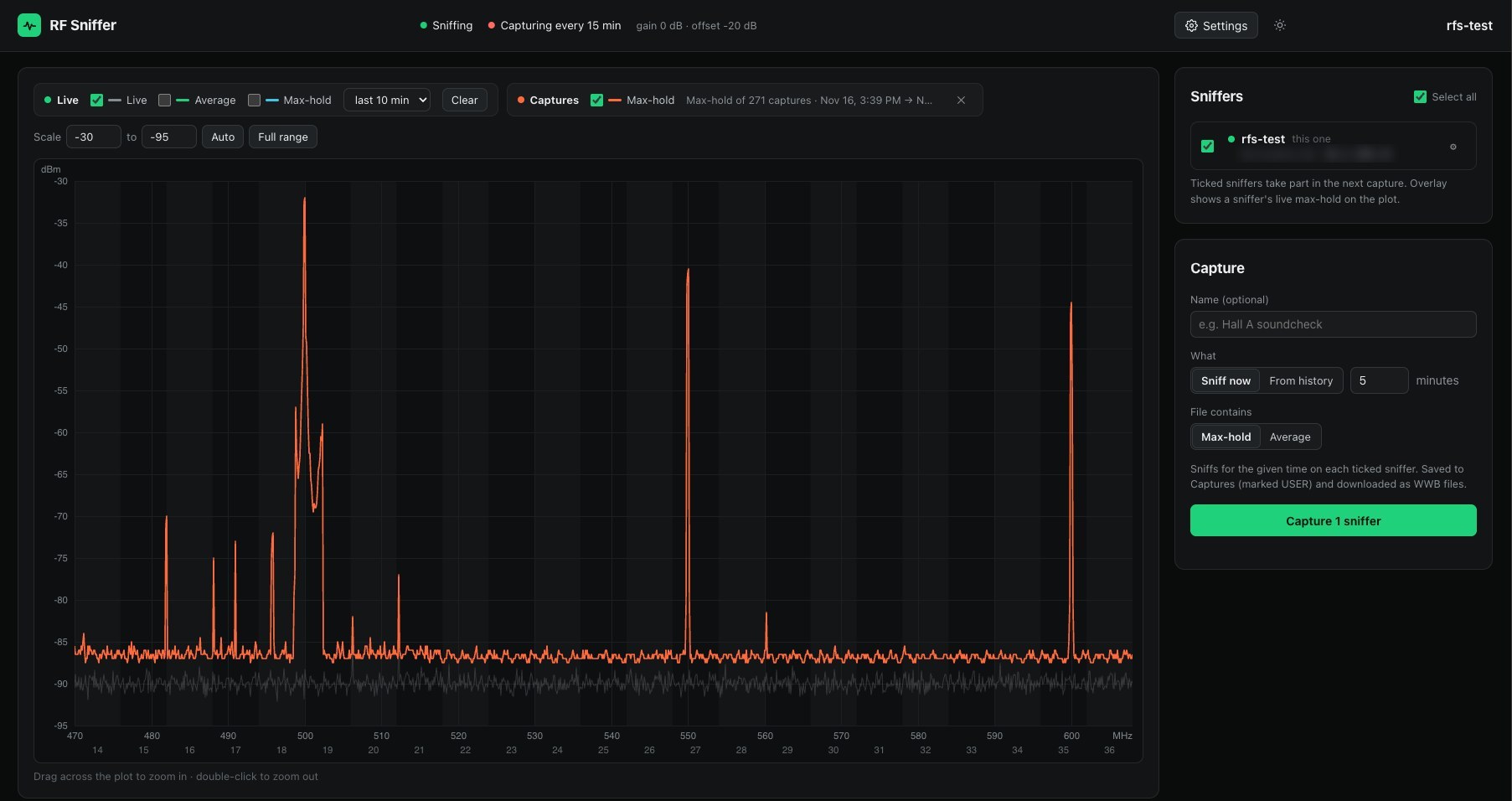
RF Sniffer main view: spectrum plot with a max-hold of 271 captures, the sniffer list and the capture panel
Three days in one trace. A max-hold of all 271 captures from the prototype, Nov 16 to 19, with mic carriers standing clear of the floor.
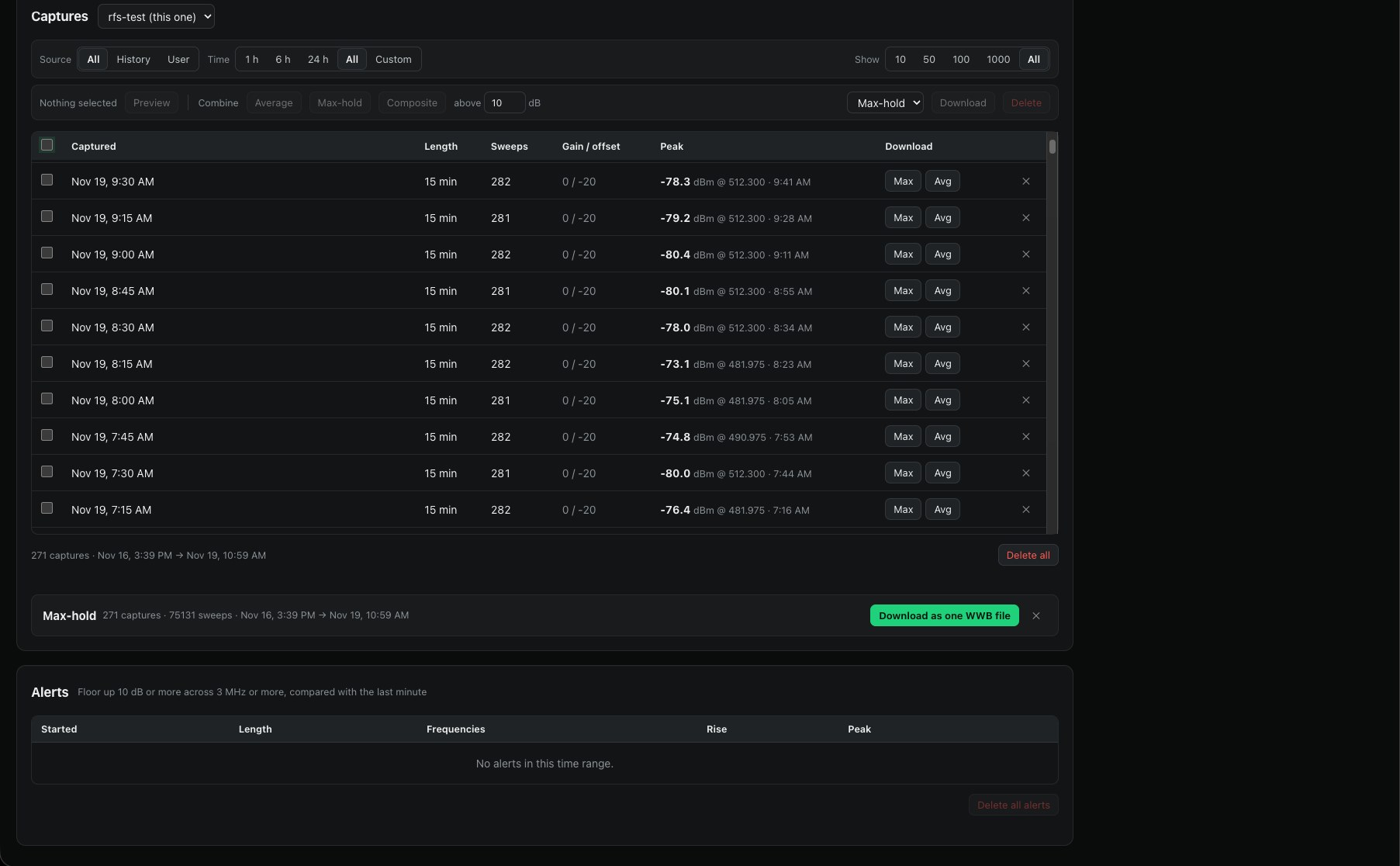
Captures list with peak level and time for each 15-minute capture, a combined max-hold ready to download as one WWB file, and the alerts table
Captures and reports. Every capture lists its peak and when it happened. Select a range and download it as one coordination file.
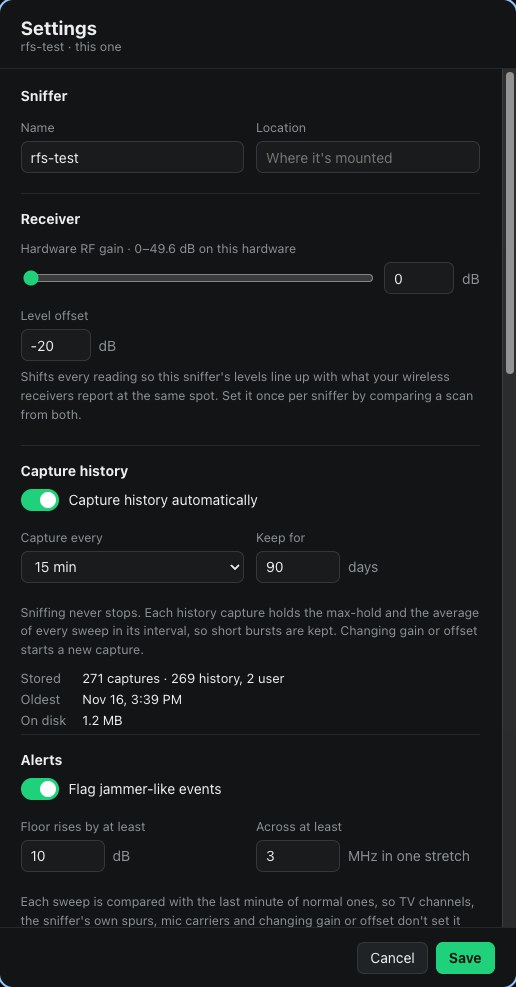
Settings: sniffer name, receiver gain and level offset, capture history interval and retention, and jammer alert thresholds
Your settings, per sniffer. Capture interval, how long to keep history, level offset to match your receivers, and jammer alert thresholds.
04 · Hardware

Small enough to mount anywhere

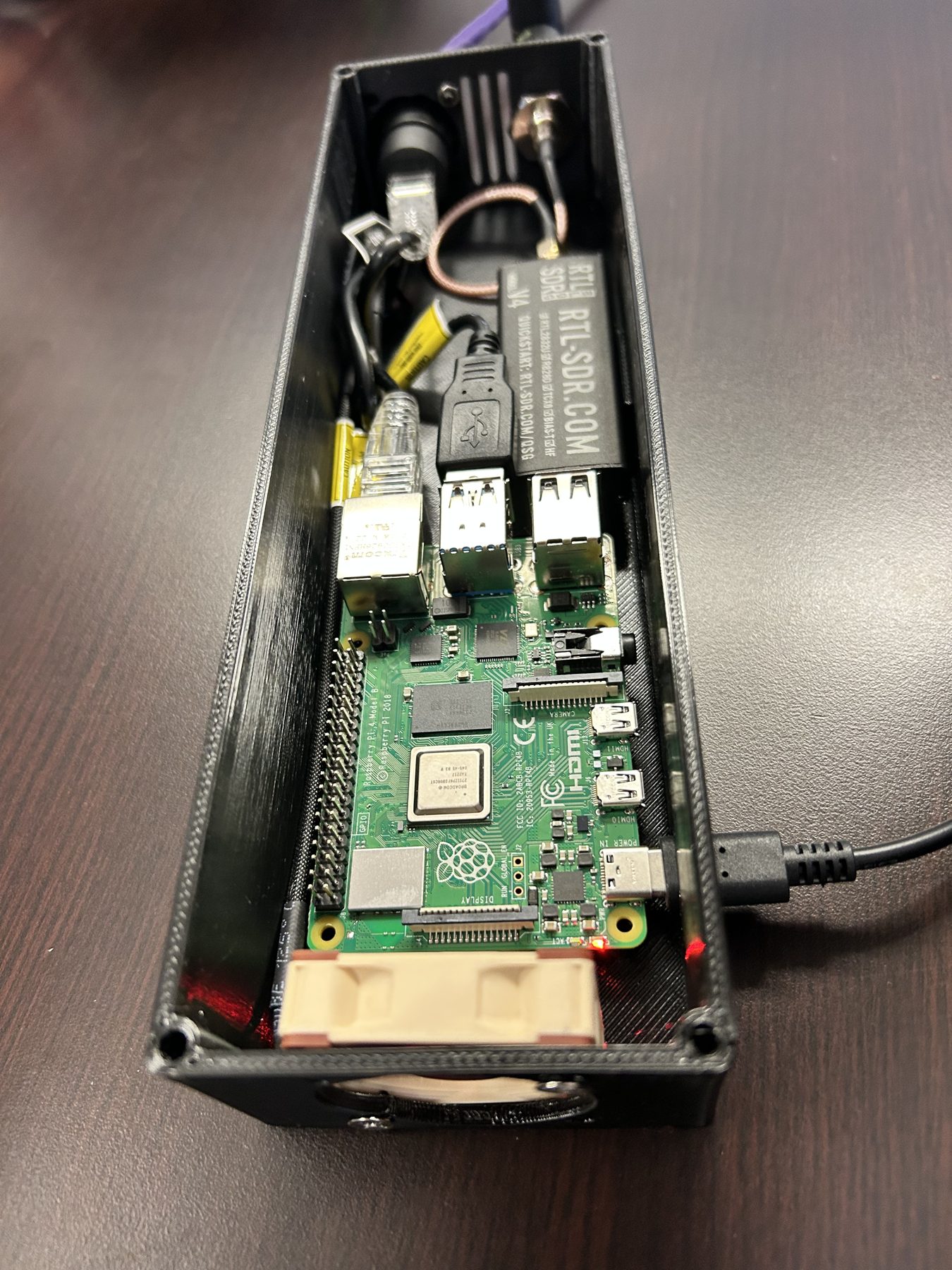
A Raspberry Pi 4 and an RTL-SDR Blog V4 in a 3D-printed case, with a PoE HAT, a rear-mounted etherCON and a BNC for the antenna. One straight airflow path from a 40 mm intake fan to the exhaust slots.

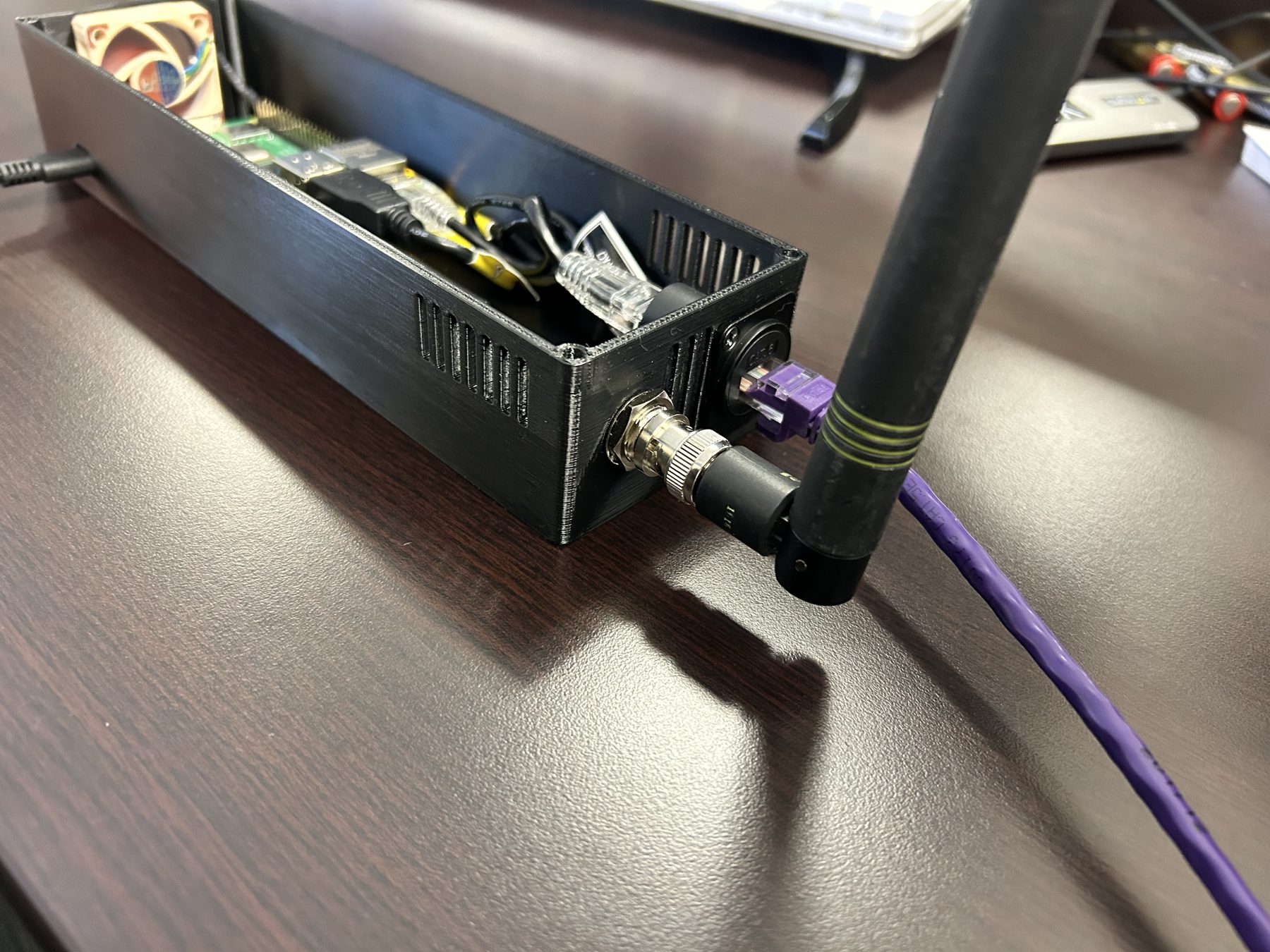
The prototype: black printed case with a BNC whip antenna and an etherCON on the end panel, lid off
The first prototype on the bench, lid off. BNC whip and etherCON on the end panel.
ComputerRaspberry Pi 4, 1 GB
ReceiverRTL-SDR Blog V4. Also detects SDRplay and Airspy for more dynamic range.
Band470–608 MHz
PowerPoE (802.3af/at), USB-C for the bench
ConnectorsetherCON (RJ45), BNC antenna
Display0.91" OLED: name, IP, alerts
Case240.5 × 73 × 47 mm, PETG, prints without supports
AccessAny web browser, optional API token
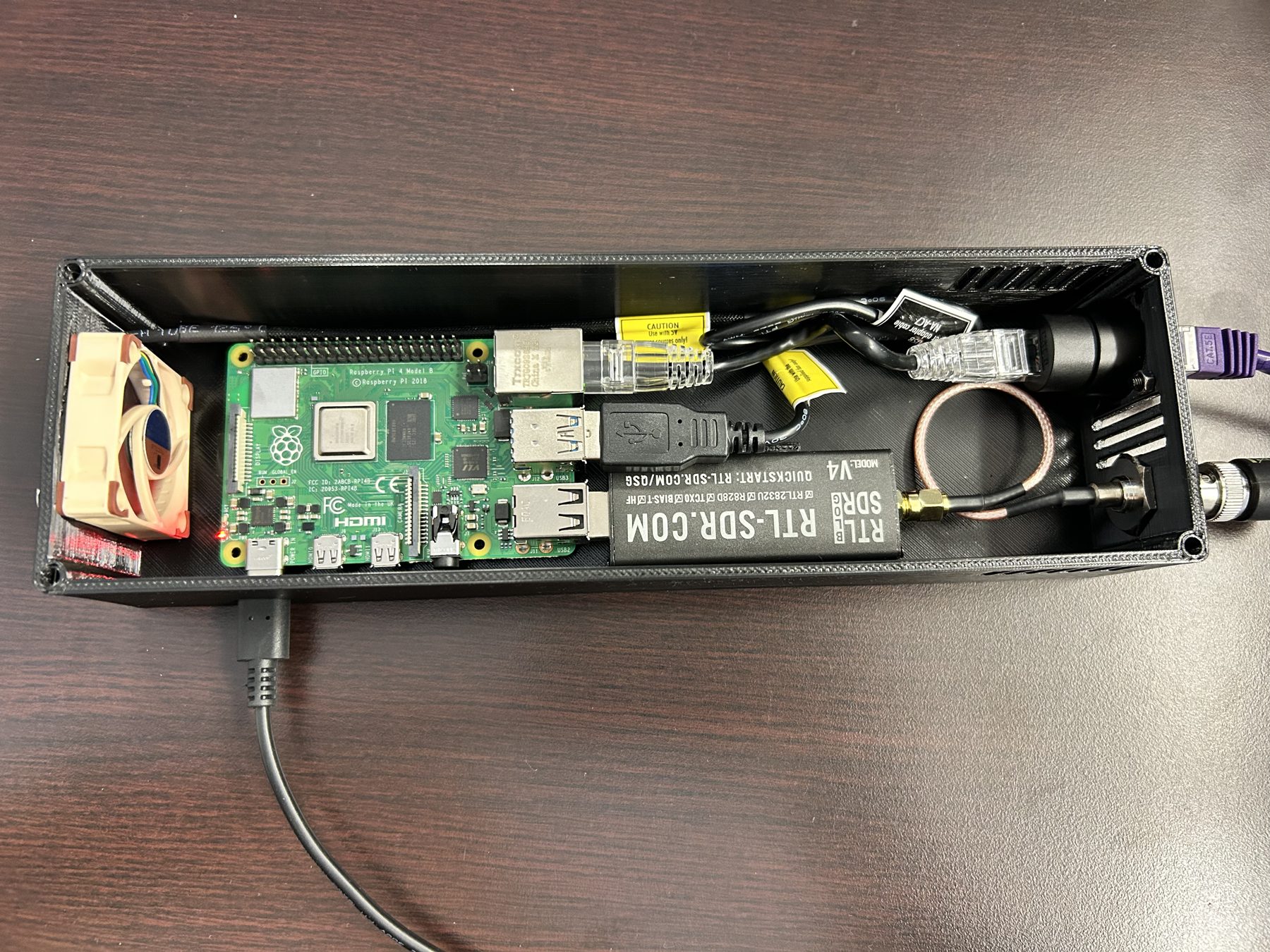
Top view inside the case: Noctua intake fan, Raspberry Pi 4, RTL-SDR V4 plugged straight into the Pi, and the coax pigtail to the BNC
Fan, Pi and SDR in one straight line. The SDR plugs straight into the Pi, and a short pigtail runs to the BNC.
Looking down the length of the case from the fan end towards the connector panel
Air goes in at the fan and out through the slots by the connectors.
05 · Roadmap

What's next

  • PoE powered

    One etherCON carries power and network. No wall wart, no extension cord at the top of a truss.

    The case is designed around a PoE HAT and a rear-mounted etherCON. Prototype parts are on the bench.

  • Quiet fan control

    The fan speeds up only when the Pi needs it, so the box is silent in a quiet room.

    A 4-pin PWM fan, driven at 25 kHz from one of the Pi's hardware PWM pins and controlled by CPU temperature.

  • Status display

    Name, IP address and anything wrong, readable at a glance without a laptop. A button wakes it, shows details, or resets the network.

    The display software runs today. The window and slide-in mount are in the case lid.

  • Optional cloud updates

    Update every sniffer from one page, or let them check for new versions online. It stays optional, so sniffers on a closed AV network keep working with no internet at all.

    Versions sit side by side on the sniffer and roll back on their own if a new one doesn't start cleanly.